Print

PowerConnect 62xx stack firmware upgrade and reboot each one unit at time

Sign in
Sign in to post messages.
Latest post 07/20/2009 11:56 AM by pzero. 3 replies.
 
Page 1 of 1  
Joined on 07/13/2009
Posts: 15
Points 210

PowerConnect 62xx stack firmware upgrade and reboot each one unit at time

Hi,

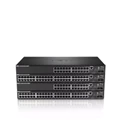
We've have two PowerConnect 6248 switches stacked together, we use it for our iSCSI SAN with VMware Infrastructure 3.5, each ESX Server has one iSCSI port connected to the first switch and another iSCSI port connected to the other switch for redundancy.

I've recently upgraded them to the latest firmware version 3.x (and also new boot code), following the procedure in the release notes, and that caused both switches to reboot together.

The stack took about two minutes to come back online and for all that time our iSCSI SAN was down, bringing down the VMware Infrastructure VMs.

Is there any way to reload one switch at time after the firmware upgrade to avoid bringing down the entire VMware cluster?

Any other suggestions on a better setup?

Thanks.

  • Post Points: 20

3 Replies:

Joined on 04/02/2007
Posts: 578
Points 4,384

Re: PowerConnect 62xx stack firmware upgrade and reboot each one unit at time

The stacking on this switch makes the stacked switch a single logical switch.  The stacking freature reboots the stack whenever the master changes.  You can change out non-master switches without rebooting, but as soon as you change the stack master,  the switch will reboot.

I heard from my Dell contact that Dell is working on hitless master failover, but it will not be available until December-ish. 

  • Post Points: 20
Joined on 07/13/2009
Posts: 15
Points 210

Re: PowerConnect 62xx stack firmware upgrade and reboot each one unit at time

If I got correctly your reply, there is currently no way to upgrade the firmware for stacked switches and avoid a single reboot for the whole stack (and the associated network downtime), is that correct?

If that is the case, is there any way/configuration to have the two switches still connected by the stacking cable but act as two separate switches (so you can update the firmware for one of them at time)?

Any other suggestion/workaround to use our two switches with our VMware Infrastructure (each ESX Server has one iSCSI port connected to the first switch and another iSCSI port connected to the other switch for redundancy) and have the ability to upgrade/reboot each switch at time to avoid the downtime/crashes for all the VMs?

Thanks.

  • Post Points: 5
Joined on 07/13/2009
Posts: 15
Points 210

Re: PowerConnect 62xx stack firmware upgrade and reboot each one unit at time

Another quick question: in order to avoid downtime with our current setup (described above) when upgrading the PowerConnect firmware, would it be better to use the two switches separately instead than a stack?

If so, could we still benefit of the stacking cable to connect them or would we need to use a couple of ethernet ports on each switch to create a LAG to connect them?

Thanks.

  • Post Points: 5
 
Page 1 of 1