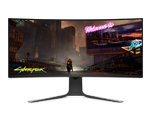
I have an x51 that I have not even been a month. On three occasions it is now behaving strangely. The first time I watched on youtube in full screen mode and the screen turned pink and the computer shut off. The second and third time, I would convert a movie in movie maker and then the same thing happened. What the heck. It feels like it just gave me problems instead of pleasure. : ( And yes, I have translated from Swedish to English with google translate.
Screen pic:
Shut off:
Sorry to hear you are having trouble. Have you tried to update the video drivers yet? There is a very strong chance that if you reinstall them that this issue will go away.
_______________________________________________________________________________________________
Area-51 Cosmic Black/Windows 8 64-bit Pro/BIOS A11Intel Core i7-980x Extreme Edition @ 4.0 ghz/Intel 160gb X-25M SSD Raid-06GB Corsair Dominator GT 1866 DDR3/PNY GeForce GTX 680 3-way SLI
Click the A.I.A to the right for self help -->
I installed the 296.10 from nvidia when I had problems with Bluescreens with the previous one.
Do you mind trying a reinstall again? Uninstall the driver on it now and then try the Dell driver this time if you can. You just need to rule out a driver issue.
Were is the dell driver? Is it not the same as nvidias?
No they are not the same. Here is a link for you. www.dell.com/.../DriverFileFormats
I know it says GT 545 but ignore that. I promise it's the right driver.
and after that? should i get the 296.10 from nvidia?
Hm after i installed that driver, i got a bluescreen. :(
Nvidia has the 300 drivers now. The 301.24 is a beta driver but I would try that. It adds some cool new features: www.geforce.com/.../43560
The Nvidia or Dell driver gave you the BSOD?
dell
Lovebuz dell
That's what I figured. Everyone has issues with it.
Go try the Nvidia one please but make sure you uninstall the Dell one first. Do the uninstall from device manager. GO to DM, Display Adapters and then right click the GPU. On the next menu check the box that says something like Delete Driver Software. Check it and start the uninstall. Reboot when done, let windows do it's thing , reboot again and then install the Nvidia.
If that doesn't work then you need to do it again but this time you will clean out the drivers. Go to this post and follow ether my directions (first reply) or Dell Chris-M's directions for a clean install. en.community.dell.com/.../19444115.aspx
Hi, you could also try resetting the video card; here’s how: http://dell.to/IzVAb5 at least up to step 6. Something else you could also try out is clean uninstalling every piece of Nvidia software. Try running Driver Sweeper (http://bit.ly/HBwBVM), restart, then install this driver: http://bit.ly/HG3jlL
*when running driver sweeper you want to select only the options that say Nvidia, just check mark and clean
Frank L Dell | Alienware Technical Support Opening your case does not void your warranty! Check out AW Artificial IntelligenceFor US and Canada, if you have any questions about upgrades contact us at alienwareupgrades@dell.com Check out our disassemble videos on YouTube | If you need extra assistance please use , I can't always reply to PM's
Now i have 301 installed and no problem when i export that movie from movie maker. Thanks for the help. I hope i don´t need to fight for this graphic card again. That´s make me... sad.